Ubuntu on HTC
這實在是太酷了
這可以當個超小 "小筆電 "
HTC又有新的目標了
話說 這樣不能打電話喔 別亂學 哈哈

2010年3月9日 星期二

2010年3月8日 星期一
2010年3月3日 星期三
ADS AXD ICE 介紹
ADS (ARM Developer Suite)是ARM公司所開發的IDE (Integrated Development Environment)環境的程式編輯及編譯工具,能夠將程式編譯成為映射執行檔供AXD模擬執行,或是編譯成燒錄檔,燒錄至Flash開機執行。使用者使用ADS進行開發時,需要建立一個專案環境,並在專案環境下進行必要的硬體設定、編譯設定、檔案組態,以進行make、link等工作,結構如同使用armgcc編譯的組態與設定,但ADS已經此類工作在IDE環境下進行,使用者能夠輕鬆進行檔案組態與整理的工作。
ICE (In-Circuit Emulator)可將AXD連結上ARM Soc的JTAG介面的硬體已進行模擬執行及除錯,若是使用支援USB介面的ICE則需安裝USBmice2K.inf與USBmice.sys兩個USB驅動程式,並設定AXD的裝置使連結程序完成即可使用AXD模擬執行及除錯。
AXD (ARM eXtended Debugger)為一套debugger,是ARM公司所開發的IDE環境之模擬軟體,並提供模擬 執行、單步執行、記憶體及變數監控、設定中斷點及追蹤程式等偵錯功能,AXD需要透過ICE連結裝置的JTAG介面後才能執行,若是ICE位偵測到相符的硬體裝置,或是ICE驅動未在執 行狀態,執行AXD時將會出現錯誤。
2010年2月23日 星期二
圓剛還真是間不錯的公司
今天照舊瀏覽了mobile01看到了這篇
圓剛Diamond USB三頻電視棒+SnugTV架設網路電視台試玩分享
重點當然不是新的三頻電視棒而是後面的 SnugTV
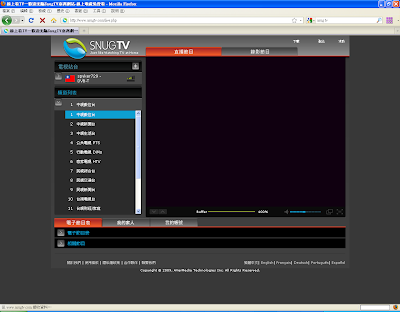
圓剛Diamond USB三頻電視棒+SnugTV架設網路電視台試玩分享
重點當然不是新的三頻電視棒而是後面的 SnugTV
去了網站看看想不到也有 三頻電視棒-HX A827
這款A827推出也有段時間了 圓剛還真是用心阿 !
就安裝看看 也不難沒花多少時間
這樣就有 自己的網路電視台了

因為串流 又不想拍照 所以看不到囉!
2010年2月20日 星期六
如何在Ubuntu下安裝更新版的OpenOffice
平台:Ubuntu 8.04.4 LTS
OpenOffice: 2.4
先移除OpenOffice 2.4 (不然會跟套件衝突)
sudo apt-get remove openoffice*
sudo apt-get autoremove
然後到這裡下載 http://download.openoffice.org/other.html
以OpenOffice 3.1.1(Linux 32-bit DEB)為例
下載後桌面出現
OOo_3.1.0_LinuxIntel_install_zh-tw_deb.tar.gz 檔案
解壓縮後進入
OOO310_m11_native_packed-4_zh-TW.9399 資料夾
接著進入DEBS資料夾(先切換root)
dpkg -i *.deb (為了方便 這裡是全部安裝 你也可以只挑你需要的)
之後在進入DEBS/desktop-integration
dpkg -i openoffice.org3.1-debian-menus_3.1-9393_all.deb (安裝應用程式捷徑)

搞定! 謝謝收看!
OpenOffice: 2.4
先移除OpenOffice 2.4 (不然會跟套件衝突)
sudo apt-get remove openoffice*
sudo apt-get autoremove
然後到這裡下載 http://download.openoffice.org/other.html
以OpenOffice 3.1.1(Linux 32-bit DEB)為例
下載後桌面出現
OOo_3.1.0_LinuxIntel_install_zh-tw_deb.tar.gz 檔案
解壓縮後進入
OOO310_m11_native_packed-4_zh-TW.9399 資料夾
接著進入DEBS資料夾(先切換root)
dpkg -i *.deb (為了方便 這裡是全部安裝 你也可以只挑你需要的)
之後在進入DEBS/desktop-integration
dpkg -i openoffice.org3.1-debian-menus_3.1-9393_all.deb (安裝應用程式捷徑)

搞定! 謝謝收看!
2010年2月11日 星期四
用Ubuntu9.10看數位電視(續)
之前用成功的http://spyker729.blogspot.com/2010/01/ubuntu910-hx.html
不過這次不同的地方是用筆電
不過卻因為晶片組的不同 搞得烏煙瘴氣
沒錯又是這個晶片INTEL ALC861 Analog
開啟kaffeine後
右上角出現了
結果找了超久 Link
必須安裝這兩個
不過這次不同的地方是用筆電
不過卻因為晶片組的不同 搞得烏煙瘴氣
沒錯又是這個晶片INTEL ALC861 Analog
開啟kaffeine後
右上角出現了
Phonon:KDE 的多媒體函式庫
音效裝置 HDA Intel (ALC861
Analog)無法運作. 改用default.
結果找了超久 Link
必須安裝這兩個
sudo apt-get install libxine1-
sudo apt-get install phonon-
終於看到影像和聽到聲音了 有夠累的
升級至Ubuntu 9.10 沒聲音?
想說今天有空將我的筆電升級至9.10好了
不想備份資料 就直接再終端機打 update-manager -d
沒想到更新完後 弄個數位電視
筆電之後就變成啞巴了
想說應該不難搞定吧Google一下就OK了
結果一弄就是快6個小時 還真他媽的機車!
還以為是沒更新好 結果指令看了一下 根本沒音效
Intel ALC861 Analog 這個有問題
最後參考到這篇
First, make sure that slmodemd is not running. with this command
pgrep slmodemd
restart your computer then go to System>Administration> Softwaresources>
In the Updates tab active "Unsupported Updates (karmic-backports), The reason from this is to install ALSA modules backports.
Now:
應該是2.6.31-19-generic沒支援ALC Analog861
要用舊的source
總算搞定!全身酸痛!
不想備份資料 就直接再終端機打 update-manager -d
沒想到更新完後 弄個數位電視
筆電之後就變成啞巴了
想說應該不難搞定吧Google一下就OK了
結果一弄就是快6個小時 還真他媽的機車!
還以為是沒更新好 結果指令看了一下 根本沒音效
Intel ALC861 Analog 這個有問題
bohan@bohan-laptop:~$ aplay -l
aplay: device_list:223: 找不到音效最後參考到這篇
First, make sure that slmodemd is not running. with this command
pgrep slmodemd
if the package installed remove with :sudo apt-get remove sl-modem-daemonrestart your computer then go to System>Administration> Softwaresources>
In the Updates tab active "Unsupported Updates (karmic-backports), The reason from this is to install ALSA modules backports.
Now:
sudo apt-get install linux-backports-modules-alsa-karmic-generic Add the PPA of Ubuntu Development Team Audio and updated to download and install their version of ALSA and PulseAudio packages. sudo add-apt-repository ppa:ubuntu-audio-devsudo apt-get update sudo apt-get dist-upgrade應該是2.6.31-19-generic沒支援ALC Analog861
要用舊的source
總算搞定!全身酸痛!
2010年2月9日 星期二
2010 Formula 1 車隊 車手 賽程

(今年最有希望奪冠的四大車隊 Mclaren,Mercedes GP,Red Bull,Ferrari)
其他都是...綠葉 XD

今年最熱門的話題史上最多冠軍的舒馬克(舒米) He is come back!
2010也是最多前冠軍車手的一年
現任Jenson Button
前任Lewis Hamilton
前前任Fernando Alonso
前前前任Michael Schumacher

今年的賽程表
繼中國 新加坡後
哇賽! 今年有韓國有也 (台灣勒?)
今年2010也是F1的60年(1950~2010)
今年肯定是戰況激烈阿!
2010年2月5日 星期五
在Ubuntu上安裝Kscope
kscope是套非常好的"看程式碼"軟體
為什麼叫看程式碼軟體呢?
因為它不具備IDE(Integrated Development Environment)功能
他沒有compile功能 所以只能用來看程式
不過當你看的程式 是屬於函數呼叫來呼叫去的
kscope的功能一定可以讓你 輕鬆一點看程式碼
而且她還有所謂的繪圖功能(不錯的地方)
可惜的是ubuntu9.04,9.10沒這個套件
所以要自行安裝
但如果你是ubuntu 8.04 就可以用添加/刪除 找到
新一點的版本10.04以上 必須使用舊版的kate套件
不囉唆來裝裝看吧
先到這裡http://sourceforge.net/projects/kscope/files/
建議抓kscope-1.6.2.tar.gz
新版的1.9.0以上好像刪減的一些功能(不大好用)

下載好了
tar zxvf kscope-1.6.2.tar.gz
cd kscope-1.6.2/
./configure
make
make install
指令不多就這些(如果你都有裝好需要的套件)
要不然請看
先輸入./configure
checking build system type... i686-pc-linux-gnu
checking host system type... i686-pc-linux-gnu
checking target system type... i686-pc-linux-gnu
checking for a BSD-compatible install... /usr/bin/install -c
checking for -p flag to install... yes
checking whether build environment is sane... yes
checking for a thread-safe mkdir -p... /bin/mkdir -p
checking for gawk... no
checking for mawk... mawk
checking whether make sets $(MAKE)... yes
checking for kde-config... not found
configure: error: The important program kde-config was not found!
Please check whether you installed KDE correctly.
解決辦法:sudo apt-get install kdelibs4c2a
再輸入./configure
checking for X... configure: error: Can't find X includes. Please check your installation and add the correct paths!
解決辦法:sudo apt-get install xorg-dev
再一次輸入./configure
checking for Qt... configure: error: Qt (>= Qt 3.3 and < 4.0) (headers and libraries) not found. Please check your installation!
解決辦法:sudo apt-get install libqt3-mt-dev
再輸入./configure
checking for KDE... configure: error:
in the prefix, you've chosen, are no KDE libraries installed. This will fail.
So, check this please and use another prefix!
解決辦法:sudo apt-get install kdelibs4-dev
再輸入./configure
configure: error: The important program mcopidl was not found!
Please check whether you installed aRts correctly or use
--without-arts to compile without aRts support (this will remove functionality).
解決辦法:./configure 改成 輸入./configure --without-arts
再輸入./configure --without-arts
configure: error: Lex/Flex is required in order to build KScope
解決辦法:sudo apt-get install flex
再輸入./configure --without-arts
configure: error: Yacc/Bison is required in order to build KScope
解決辦法:sudo apt-get install bison
再輸入./configure --without-arts
checking if doc should be compiled... yes
checking if po should be compiled... yes
checking if src should be compiled... yes
configure: creating ./config.status
wrong input (flag != 4) at admin/conf.change.pl line 116, <> line 1380.
config.status: creating Makefile
config.status: creating doc/Makefile
config.status: creating doc/en/Makefile
config.status: creating po/Makefile
config.status: creating src/Makefile
config.status: creating config.h
config.status: executing depfiles commands
Good - your configure finished. Start make now
總算搞定了 感動!! (不不不還有呢)
輸入make
/usr/bin/ld: cannot find -lkateinterfaces
collect2: ld returned 1 exit status
make[3]: *** [kscope] Error 1
make[3]: Leaving directory `/home/bohan/桌面/kscope-1.6.2/src'
make[2]: *** [all] Error 2
make[2]: Leaving directory `/home/bohan/桌面/kscope-1.6.2/src'
make[1]: *** [all-recursive] Error 1
make[1]: Leaving directory `/home/bohan/桌面/kscope-1.6.2'
make: *** [all] Error 2
又有問題 這下有點不悅了 怎麼問題真多阿
解決辦法:進入src目錄(/kscope-1.6.2/src),然後 vim Makefile,找到出錯的命令(481行附近), 去掉-lkateinterfaces, 换成 /usr/lib/libkatepartinterfaces.la


將較新的kate移除 安裝4:3.5.10以下的版本
可以用Synaptic套件管理刪除系統新版本的kate
再安裝以下連結的kate
kate安裝好在裝kscope
http://packages.debian.org/lenny/kate kate (4:3.5.9.dfsg.1-6+lenny1)
http://packages.ubuntu.com/search?lang=zh-tw&keywords=kate Ubuntu發行版預設kate版本


為什麼叫看程式碼軟體呢?
因為它不具備IDE(Integrated Development Environment)功能
他沒有compile功能 所以只能用來看程式
不過當你看的程式 是屬於函數呼叫來呼叫去的
kscope的功能一定可以讓你 輕鬆一點看程式碼
而且她還有所謂的繪圖功能(不錯的地方)
可惜的是ubuntu9.04,9.10沒這個套件
所以要自行安裝
但如果你是ubuntu 8.04 就可以用添加/刪除 找到
新一點的版本10.04以上 必須使用舊版的kate套件
不囉唆來裝裝看吧
先到這裡http://sourceforge.net/projects/kscope/files/
建議抓kscope-1.6.2.tar.gz
新版的1.9.0以上好像刪減的一些功能(不大好用)

下載好了
tar zxvf kscope-1.6.2.tar.gz
cd kscope-1.6.2/
./configure
make
make install
指令不多就這些(如果你都有裝好需要的套件)
要不然請看
先輸入./configure
checking build system type... i686-pc-linux-gnu
checking host system type... i686-pc-linux-gnu
checking target system type... i686-pc-linux-gnu
checking for a BSD-compatible install... /usr/bin/install -c
checking for -p flag to install... yes
checking whether build environment is sane... yes
checking for a thread-safe mkdir -p... /bin/mkdir -p
checking for gawk... no
checking for mawk... mawk
checking whether make sets $(MAKE)... yes
checking for kde-config... not found
configure: error: The important program kde-config was not found!
Please check whether you installed KDE correctly.
解決辦法:sudo apt-get install kdelibs4c2a
再輸入./configure
checking for X... configure: error: Can't find X includes. Please check your installation and add the correct paths!
解決辦法:sudo apt-get install xorg-dev
再一次輸入./configure
checking for Qt... configure: error: Qt (>= Qt 3.3 and < 4.0) (headers and libraries) not found. Please check your installation!
解決辦法:sudo apt-get install libqt3-mt-dev
再輸入./configure
checking for KDE... configure: error:
in the prefix, you've chosen, are no KDE libraries installed. This will fail.
So, check this please and use another prefix!
解決辦法:sudo apt-get install kdelibs4-dev
再輸入./configure
configure: error: The important program mcopidl was not found!
Please check whether you installed aRts correctly or use
--without-arts to compile without aRts support (this will remove functionality).
解決辦法:./configure 改成 輸入./configure --without-arts
再輸入./configure --without-arts
configure: error: Lex/Flex is required in order to build KScope
解決辦法:sudo apt-get install flex
再輸入./configure --without-arts
configure: error: Yacc/Bison is required in order to build KScope
解決辦法:sudo apt-get install bison
再輸入./configure --without-arts
checking if doc should be compiled... yes
checking if po should be compiled... yes
checking if src should be compiled... yes
configure: creating ./config.status
wrong input (flag != 4) at admin/conf.change.pl line 116, <> line 1380.
config.status: creating Makefile
config.status: creating doc/Makefile
config.status: creating doc/en/Makefile
config.status: creating po/Makefile
config.status: creating src/Makefile
config.status: creating config.h
config.status: executing depfiles commands
Good - your configure finished. Start make now
總算搞定了 感動!! (不不不還有呢)
輸入make
/usr/bin/ld: cannot find -lkateinterfaces
collect2: ld returned 1 exit status
make[3]: *** [kscope] Error 1
make[3]: Leaving directory `/home/bohan/桌面/kscope-1.6.2/src'
make[2]: *** [all] Error 2
make[2]: Leaving directory `/home/bohan/桌面/kscope-1.6.2/src'
make[1]: *** [all-recursive] Error 1
make[1]: Leaving directory `/home/bohan/桌面/kscope-1.6.2'
make: *** [all] Error 2
又有問題 這下有點不悅了 怎麼問題真多阿
解決辦法:進入src目錄(/kscope-1.6.2/src),然後 vim Makefile,找到出錯的命令(481行附近), 去掉-lkateinterfaces, 换成 /usr/lib/libkatepartinterfaces.la


然後make
make install 搞定呼!!(還蠻機車的)
make install 搞定呼!!(還蠻機車的)
接下來才是聰明人的的方法(誰叫你要乖乖的看)
https://launchpad.net/ubuntu
https://launchpad.net/ubuntu

這幾個才找得到(這麼好的軟體 9.10 以上沒有 可惜阿)
我們選9.04進去(當然9.10的可以來這下載回去安裝 ok 的)
我們選9.04進去(當然9.10的可以來這下載回去安裝 ok 的)


10.04 以上必須將系統 kate 刪除 安裝舊的 kate
- dapper (editors): advanced text editor for KDE
4:3.5.2-0ubuntu27.2: amd64 i386 powerpc - dapper-updates (editors): advanced text editor for KDE
4:3.5.2-0ubuntu27.4: amd64 i386 powerpc - hardy (editors): advanced text editor for KDE
4:3.5.9-0ubuntu7: amd64 i386 - hardy-updates (editors): advanced text editor for KDE
4:3.5.10-0ubuntu1~hardy2: amd64 i386 - hardy-backports (editors): advanced text editor for KDE
4:3.5.10-0ubuntu1~hardy2: amd64 i386 - karmic (editors): KDE 4 Advanced Text Editor
4:4.3.2-0ubuntu1: amd64 i386 - karmic-backports (editors): KDE 4 Advanced Text Editor
4:4.3.5-0ubuntu1~karmic1: amd64 i386 - lucid (editors): KDE 4 Advanced Text Editor
4:4.4.2-0ubuntu3: amd64 i386 - lucid-updates (editors): KDE 4 Advanced Text Editor
4:4.4.5-0ubuntu1: amd64 i386 - maverick (editors): KDE 4 Advanced Text Editor
4:4.5.1-0ubuntu3: amd64 i386 - natty (editors): K Advanced Text Editor
4:4.6.2-0ubuntu1: amd64 i386
可以用Synaptic套件管理刪除系統新版本的kate
再安裝以下連結的kate
kate安裝好在裝kscope
http://packages.debian.org/lenny/kate kate (4:3.5.9.dfsg.1-6+lenny1)
http://packages.ubuntu.com/search?lang=zh-tw&keywords=kate Ubuntu發行版預設kate版本


最棒的功能 關係圖


謝謝收看
2010年1月23日 星期六
用Ubuntu9.10看數位電視( 圓剛三頻電視棒-HX)
平台:Ubuntu9.10
數位電視棒:圓剛三頻電視棒-HX A827
下載:Linux x86 Linux x64
安裝步驟(x86為例)(INSTALL.txt裡有):
#sudo su
#wget http://www.avermedia.com/avertv/tw/Support /DownloadCount.aspx?FDFId=1678
#unzip C038A827H826_Installer_x86_0.10-Beta_091126.zip
#cd H826D_Installer_x86_0.10-Beta
#./AVERMEDIA-Linux-x86-H826D-0.10-beta.sh
接著會跳出該畫面


數位電視棒:圓剛三頻電視棒-HX A827
下載:Linux x86 Linux x64
安裝步驟(x86為例)(INSTALL.txt裡有):
#sudo su
#wget http://www.avermedia.com/avertv/tw/Support /DownloadCount.aspx?FDFId=1678
#unzip C038A827H826_Installer_x86_0.10-Beta_091126.zip
#cd H826D_Installer_x86_0.10-Beta
#./AVERMEDIA-Linux-x86-H826D-0.10-beta.sh
接著會跳出該畫面


接著安裝kaffeine, xine-ui (TV_Player.txt裡有)
#sudo apt-get install kaffeine xine-ui
安裝完 開啟 應用程式-影音-kaffeine


頻道亂碼可以按右鍵Edit,畫面也可以調4:3 or 16:9,但電子節目表還是會亂碼
kaffeine這個軟體算很不錯了(免費的當然)
至於想看第四台有興趣可以在研究研究(TV_Player.txt有)
也可以試試看其他Player軟體
訂閱:
文章 (Atom)